كيف يعمل AllPro وما هي وظائفه الرئيسية؟


ما هو AllPro؟
AllPro هي أداة شاملة لإدارة المشاريع والموارد يمكنها تسهيل العمليات اليومية لشركتك بشكل كبير من خلال وحدات تخصيص المشاريع وتتبع الوقت والفوترة.
لمعرفة المزيد حول كيف يمكن لـ AllPro مساعدة عملك على النمو والازدهار، اقرأ مقالنا الأخير ‘Hكيف يمكنك جعل إدارة موارد المشروع سهلة للغاية مع AllPro’؟
ما هي الوظائف الرئيسية لـ Allpro؟
AllPro can be customised in multiple ways due to its unique range of functionalities and elements that can be included or excluded from the final version of the product we deliver to you, depending on your business. The product can be also adjusted within the same organisation following certain roles you define for your team members that require different levels of access to certain modules.
ينقسم AllPro إلى الوحدات التالية:
التكوين
Configuration module allows you to define roles and competencies within your organisation as well as your contract types, business trip arrangements, locations, company bank accounts, invoice and time report templates. Ideally, you should aim to represent your company and all details as closely as possible in this module, so any estimations and information in all other modules will be accurate.
 الفوترة
 الفوترة
 الفوترة هي المكان الذي يمكن للمستخدمين فيه إنشاء فواتيرهم وتقديمها وإصدارها. وهناك أيضًا خيار لعرض جميع فواتيرك السابقة.
المؤسسة
This module is mainly for Managers who can check a list of all their team members and see the employee journeys for each of them. This is where they can also see a chart with seniority levels and their salary ranges. This chart can be a convenient tool for any discussion about salary raise where Managers can quickly and clearly see what they can offer their team members and what their professional career with the company has been like.
In Competences, Managers can generate CVs for certain employees if and when they need to present them to new or existing customers. These documents will not only include a professional experience of an employee but also list their skills, tools they use, trainings they completed and languages they speak.
Dashboard gives Managers an opportunity to quickly check the most important data they may need – employee growth by location or business line and an overall headcount. Here’s where they can also get an idea about the common reasons for leaving the company.
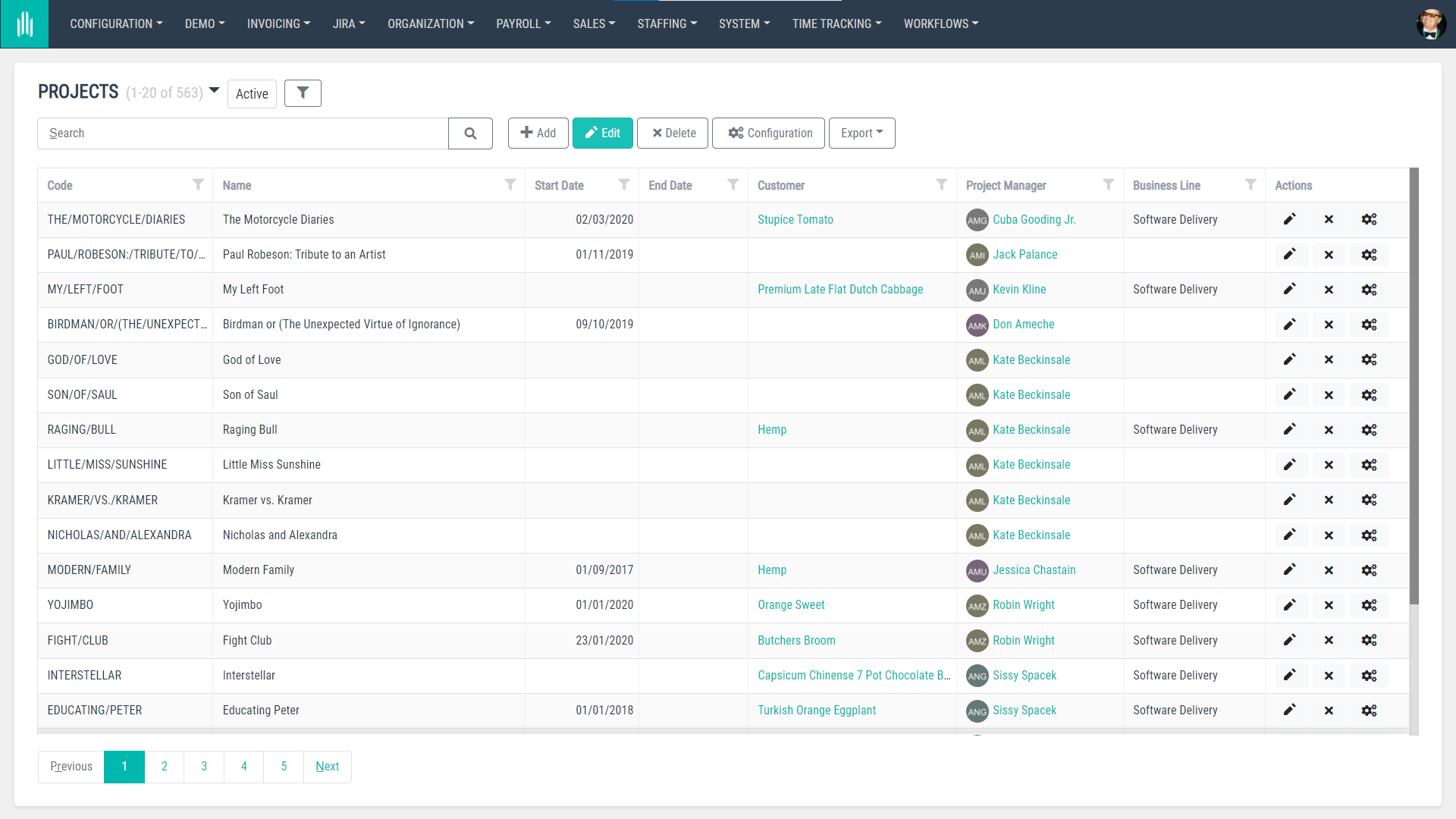
في قسم المشاريع، يمكن للمديرين الاطلاع على جميع المشاريع، بما في ذلك تكاليفها، وفي تقويم الفريق يمكنهم بسرعة معرفة من هو في إجازة، أو في رحلة عمل، أو في عطلة رسمية، أو يعمل من المنزل.
الرواتب
Payroll is a module ideal for your HR/Payroll Specialists who are responsible for organisational HR tasks. This is where they are able to see all employee contracts, track any changes that have been applied to these contracts, calculate remunerations KPIs and check stats.
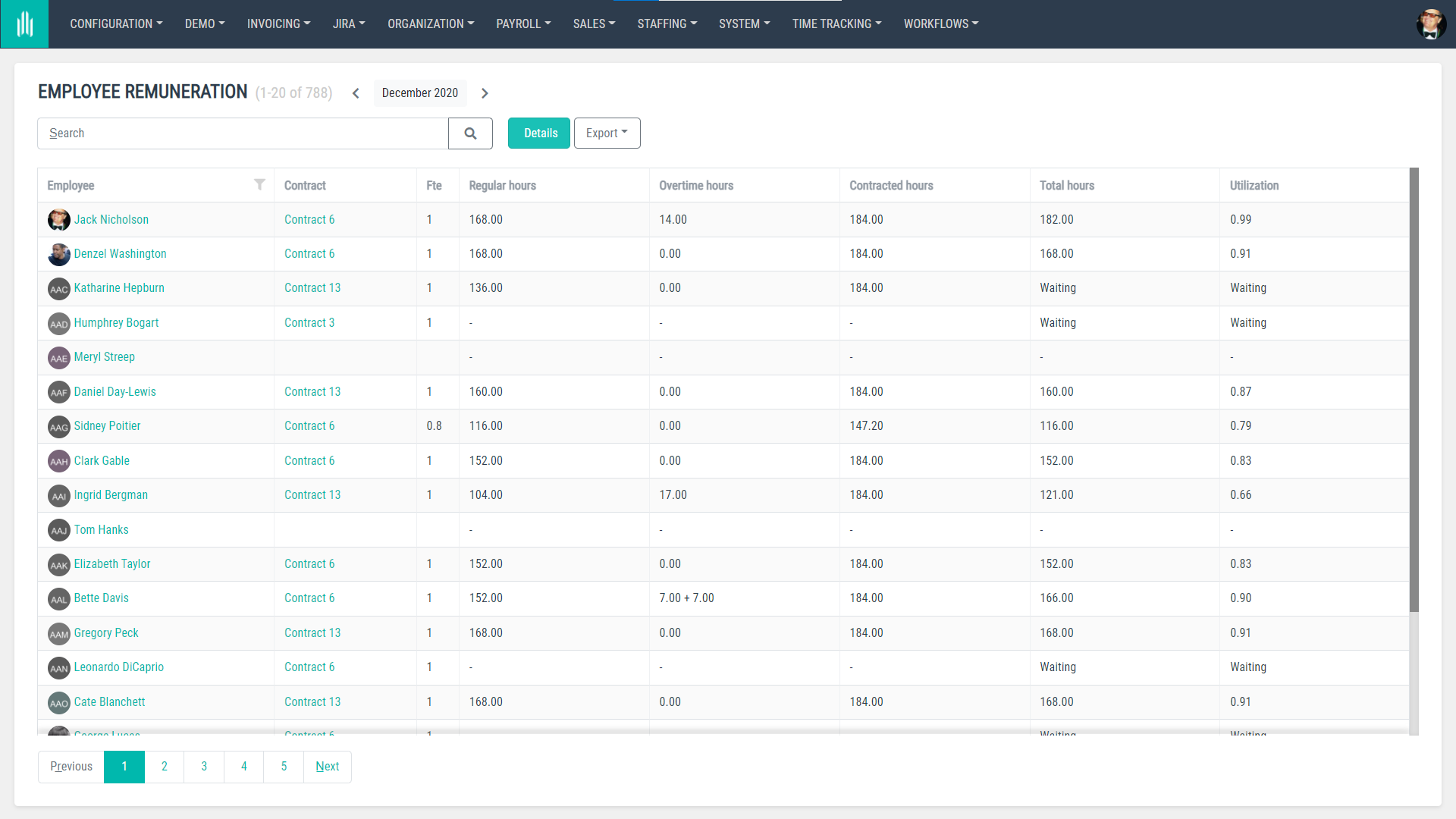
There’s also a segment called Salary Comparison where users can compare between remunerations for different team members and a Vacation Balance section with a list of holidays for all users for a quick overview on whether they use them and who to remind about their remaining days off.
المبيعات
The Sales module is where users can find basic information about the customers that their company collaborate with, including their company names, contact names, tax numbers, project codes and countries they operate in.
توفير الكوادر
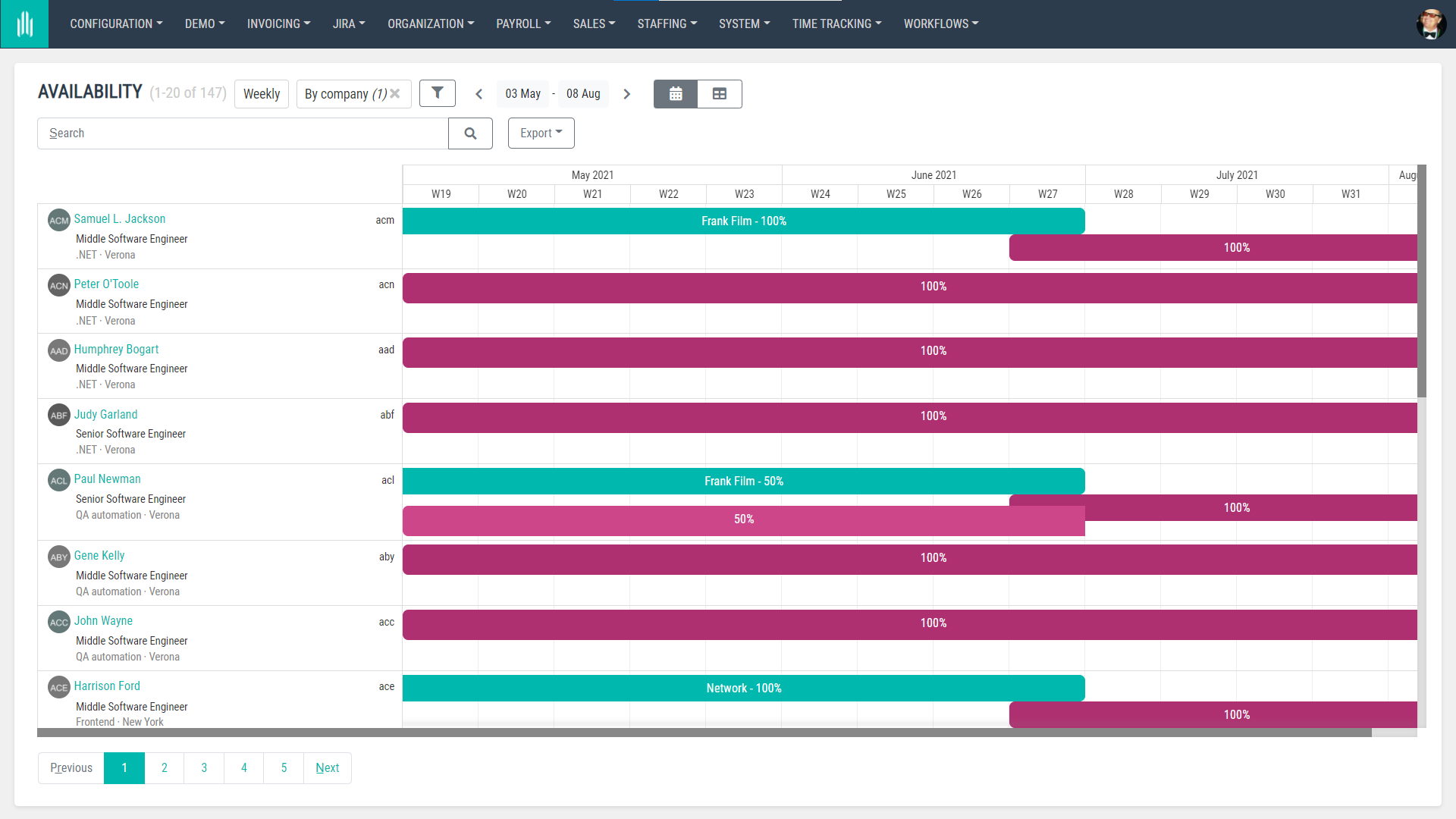
The Staffing module is perfect for assigning team members to projects and making sure that they are not overloaded with tasks. In this module, Managers can assign people to certain project temporarily or permanently, check the availability of their team and what roles these people fill in the projects they work on.
الأنظمة
Systems is a module that’s dedicated to admin users. Here’s where they can manage users’ details, give them access to certain modules, organise users into groups with different access levels and check notifications systems that have been sent from AllPro in their organisation.
The Systems module also works for any configuration setups where notification emails or other actions could be taken automatically after being scheduled in this module. Here’s where administrative users can also define tasks/jobs to be completed systematically, without them having to set up these.
تتبع الوقت
This section is all about your work time report and the report of your team members being listed and submitted correctly. This is where regular users can prepare, hand in and see their reports. Similarly to other time tracking tools, every report can be divided into certain projects and tasks that users work on an hourly/daily/weekly basis.
Anyone who’s defined as a Manager in AllPro can also view reports for people who are hired onto their teams and see the status of the time reports that need to be submitted, including their hourly progress. All time reports can be also downloaded as .xls or exported to a different tool.
What’s important – in AllPro – we’ve decided to track work time by minutes to make sure that any clients you collaborate with have a clear overview of minutes spent working on their projects and tasks, and can have full control over the costs.
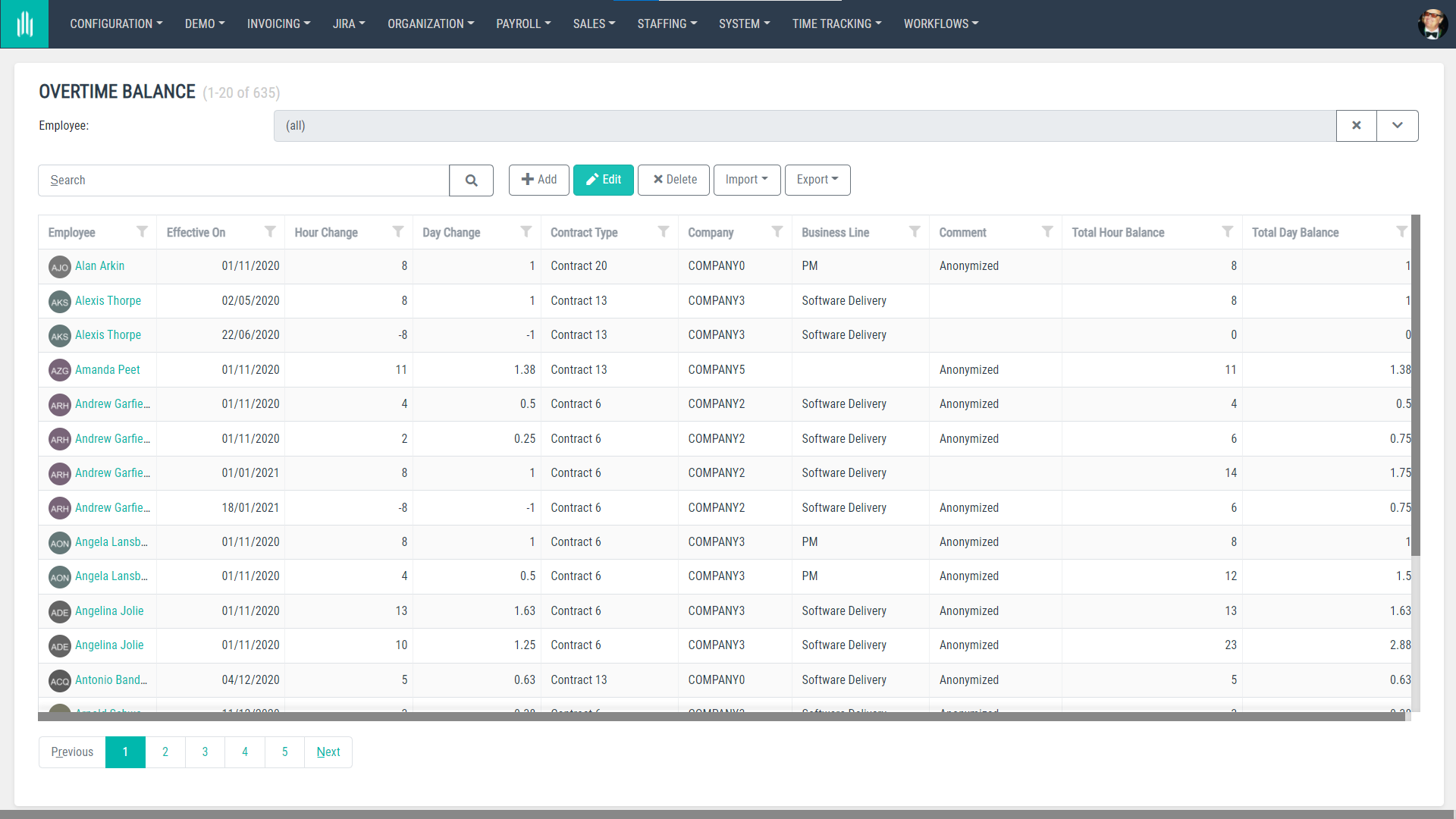
In addition to work time reports, in Time Tracking users can also check their vacation balance and overtime balance, and if they’re Managers – holidays for their team members in the Staff on Holiday section.
سير العمل
The main module of Workflows is Request where users can submit absence, overtime, business trip, expense, home office requests, see their status and take additional actions if necessary. They can also request onboarding for new members joining their teams and if they have any problems with their time report they can also request for them to be reopened.
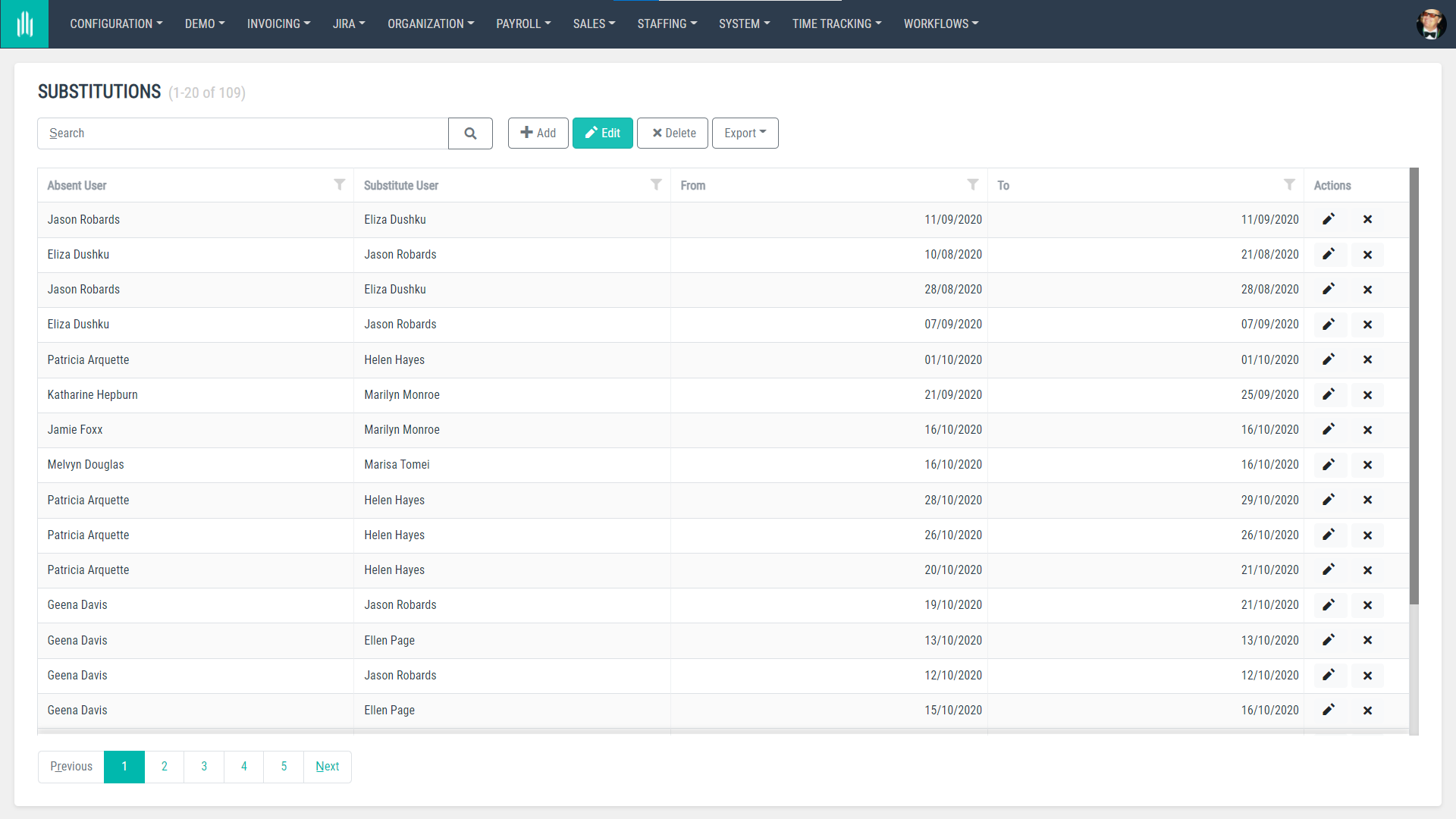
في Workflows، هناك أيضًا وحدة تُسمى Substitutions حيث يمكن للمستخدمين تحديد من سينوب عنهم أو عن أعضاء فريقهم في حالة غيابهم.
Once a business trip is requested and scheduled, it lands in a module called ‘My Trips’ where users can see their upcoming trips, including all the details – hotel bookings, tickets, insurance, etc. This module can be also made accessible for an Office Manager or anyone who will be involved in organising business trips for team members.
هل أنت مستعد لتجربة AllPro في مؤسستك؟
اطلب عرضاً توضيحياًكيف تم بناء AllPro؟
من الناحية التقنية، ينقسم AllPro إلى وحدات، حيث تكون كل وحدة مشروعاً مستقلاً. وهذا يعني أنه من السهل توسيعه وتكييفه مع الاحتياجات التجارية لكل عميل على حدة.
Each module has an internal and external side to it, with the external one represented on three different levels: data, application logic and User Interface. There’s also a representation of these modules on the data base level, and they can be also easily divided into multiple machines.
تعني هذه الوحداتية أيضًا أن الشيفرة البرمجية والمسؤوليات موزعة بين مشاريع مختلفة. مع AllPro، كان هدفنا الحفاظ على هذه الترابطات واضحة وبديهية.
وهذه هي الطريقة التي يُنظَّم بها النظام:
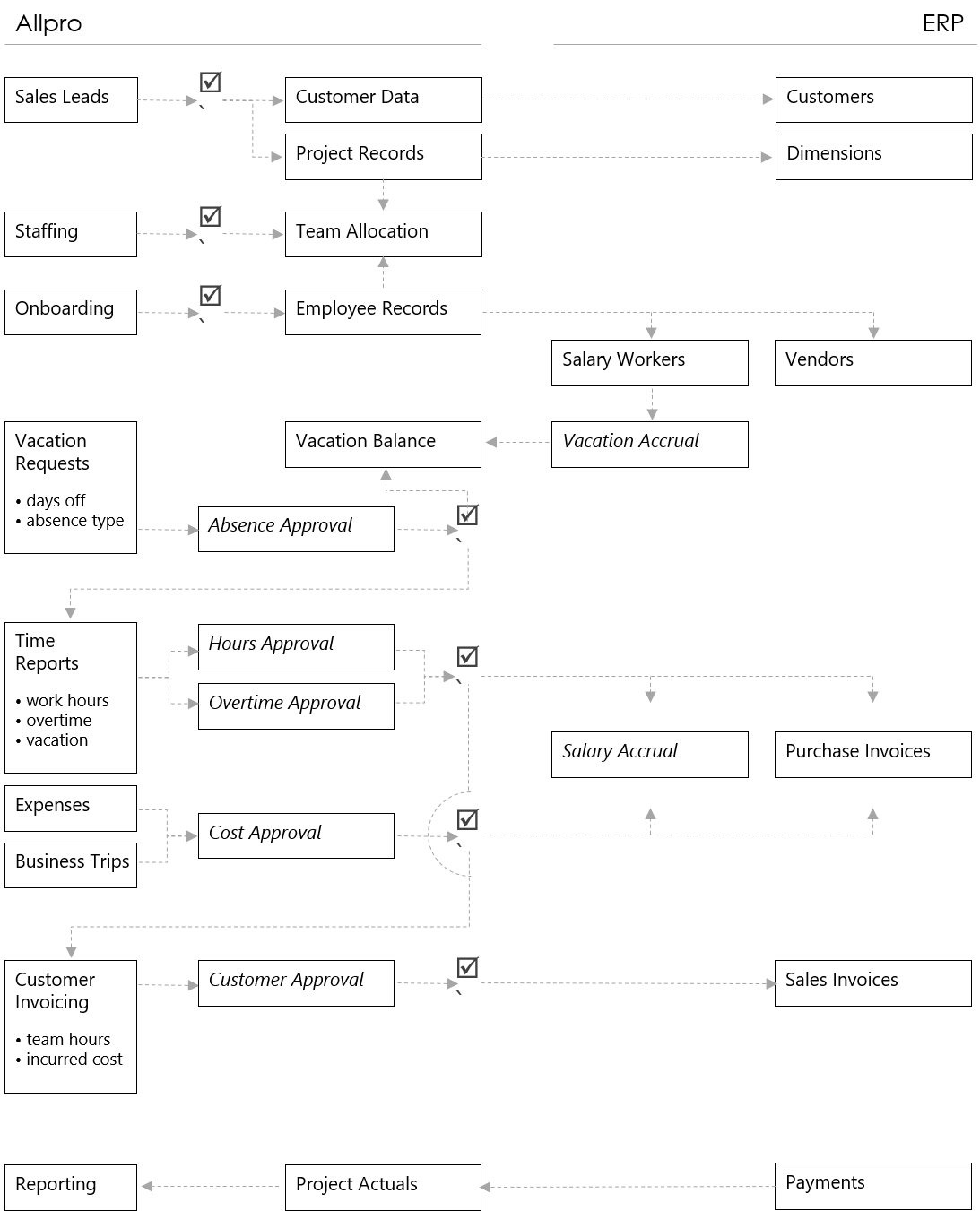
كما ذُكر أعلاه، يمكن إيقاف تشغيل جميع هذه الوحدات وتشغيلها حسب تغير احتياجات عملك ونمو شركتك.
الدور عليك
تم إنشاء AllPro في الأصل لمؤسستنا (تحقق مما نقوم به علىموقعنا الإلكتروني)، ولكننا الآن مستعدون لمشاركته مع العالم. نحن نسعى جاهدين للحفاظ على هذا المنتج قيد التطوير لأطول فترة ممكنة، ونحن دائمًا منفتحون على الملاحظات والأفكار.
هل ترغب في إلقاء نظرة على AllPro وتجربته مع فريقك؟ تواصل معنا للحصول على مزيد من المعلومات.


arrow_circle_rightاتصل بنا
سنساعدك في إنشاء حل يلبي احتياجات مستخدميك. أخبرنا عن فكرتك.

Toby Pestridge
المدير الإبداعي
arrow_circle_right مدونتنا