Comment fonctionne AllPro et quelles sont ses principales fonctionnalités ?


Qu'est-ce qu'AllPro ?
AllPro est un outil tout-en-un de gestion de projets et de ressources qui peut grandement faciliter les opérations quotidiennes de votre entreprise grâce à ses modules d'allocation de projets, de suivi du temps et de facturation.
Pour en savoir plus sur la façon dont AllPro peut aider votre entreprise à croître et à prospérer, lisez notre dernier article 'HComment faciliter la gestion des ressources de projet avec AllPro' ?
Quelles sont les principales fonctionnalités d'Allpro ?
AllPro can be customised in multiple ways due to its unique range of functionalities and elements that can be included or excluded from the final version of the product we deliver to you, depending on your business. The product can be also adjusted within the same organisation following certain roles you define for your team members that require different levels of access to certain modules.
AllPro est divisé en les modules suivants :
Configuration
Configuration module allows you to define roles and competencies within your organisation as well as your contract types, business trip arrangements, locations, company bank accounts, invoice and time report templates. Ideally, you should aim to represent your company and all details as closely as possible in this module, so any estimations and information in all other modules will be accurate.
 Facturation
 Facturation
 La facturation est l'endroit où les utilisateurs peuvent créer, soumettre et émettre leurs factures. Il existe également une option pour consulter toutes vos factures passées.
Organisation
This module is mainly for Managers who can check a list of all their team members and see the employee journeys for each of them. This is where they can also see a chart with seniority levels and their salary ranges. This chart can be a convenient tool for any discussion about salary raise where Managers can quickly and clearly see what they can offer their team members and what their professional career with the company has been like.
In Competences, Managers can generate CVs for certain employees if and when they need to present them to new or existing customers. These documents will not only include a professional experience of an employee but also list their skills, tools they use, trainings they completed and languages they speak.
Dashboard gives Managers an opportunity to quickly check the most important data they may need – employee growth by location or business line and an overall headcount. Here’s where they can also get an idea about the common reasons for leaving the company.
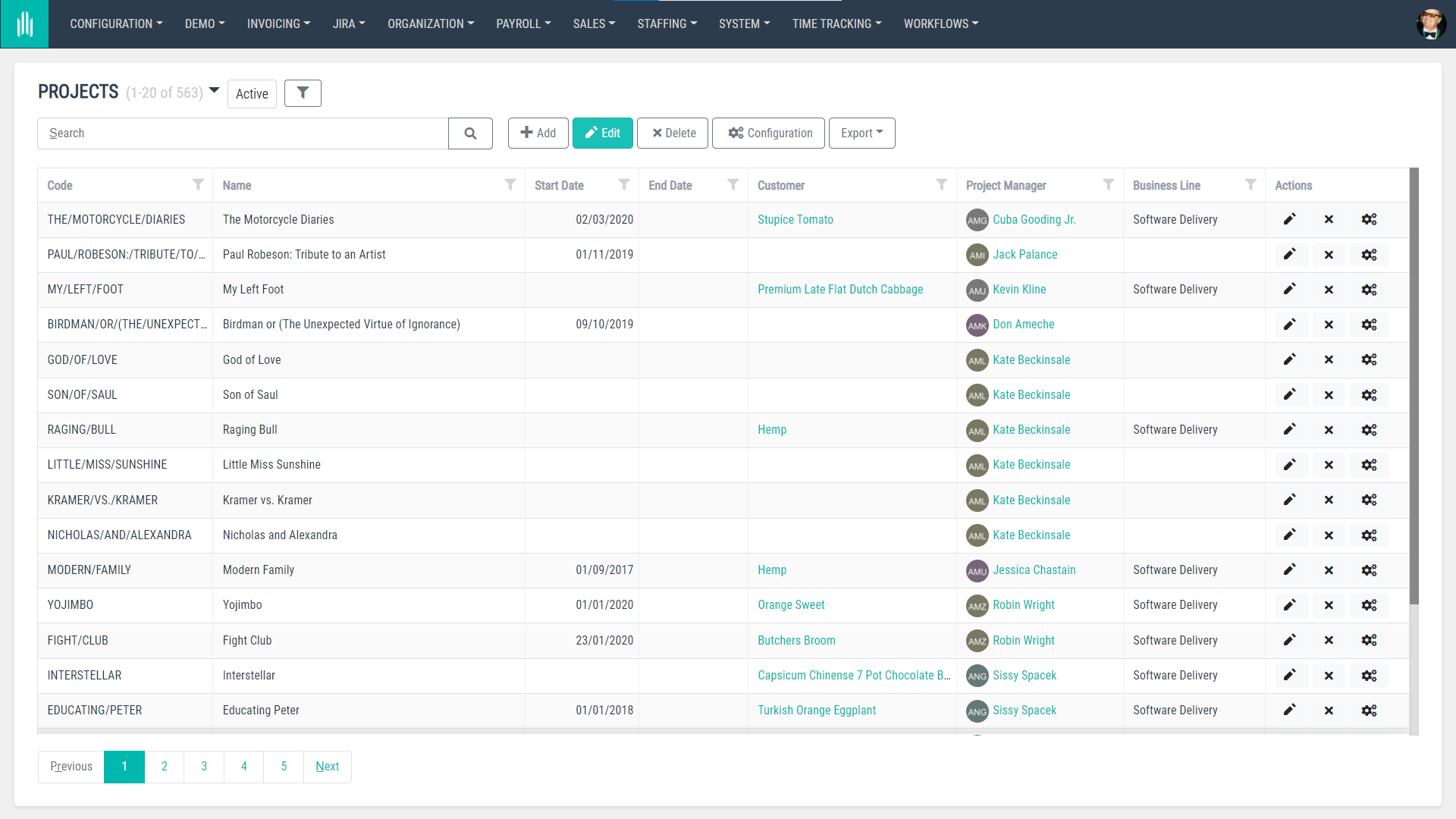
Dans Projets, les managers peuvent voir tous les projets, y compris leurs coûts, et dans le calendrier d'équipe, ils peuvent rapidement voir qui est en vacances, en déplacement professionnel, en jour férié ou en télétravail.
Paie
Payroll is a module ideal for your HR/Payroll Specialists who are responsible for organisational HR tasks. This is where they are able to see all employee contracts, track any changes that have been applied to these contracts, calculate remunerations KPIs and check stats.
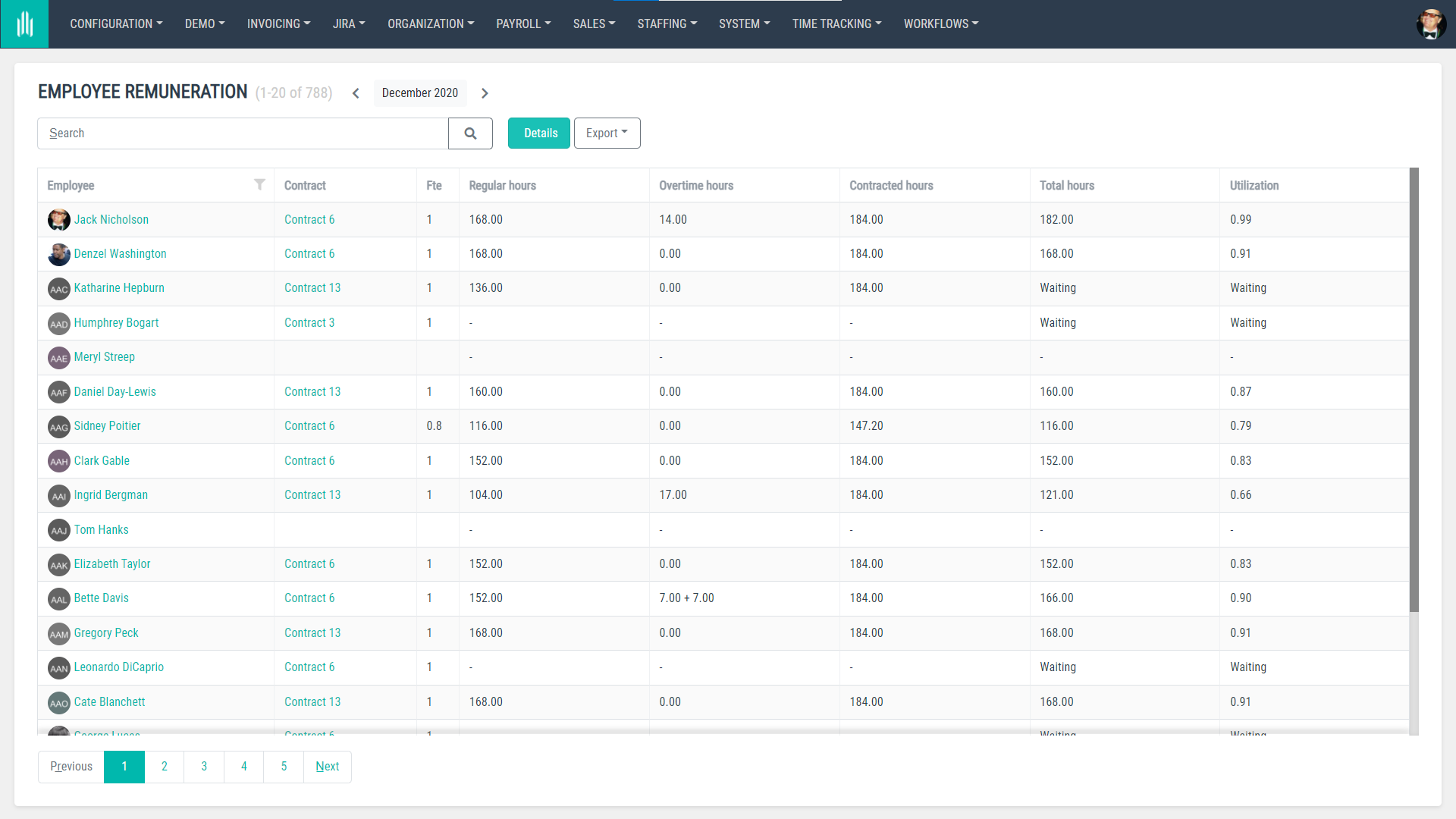
There’s also a segment called Salary Comparison where users can compare between remunerations for different team members and a Vacation Balance section with a list of holidays for all users for a quick overview on whether they use them and who to remind about their remaining days off.
Ventes
Le module Ventes permet aux utilisateurs de trouver les informations de base sur les clients avec lesquels leur entreprise collabore, notamment les noms de leurs sociétés, les noms des contacts, les numéros fiscaux, les codes de projet et les pays dans lesquels ils opèrent.
Mise à disposition de personnel
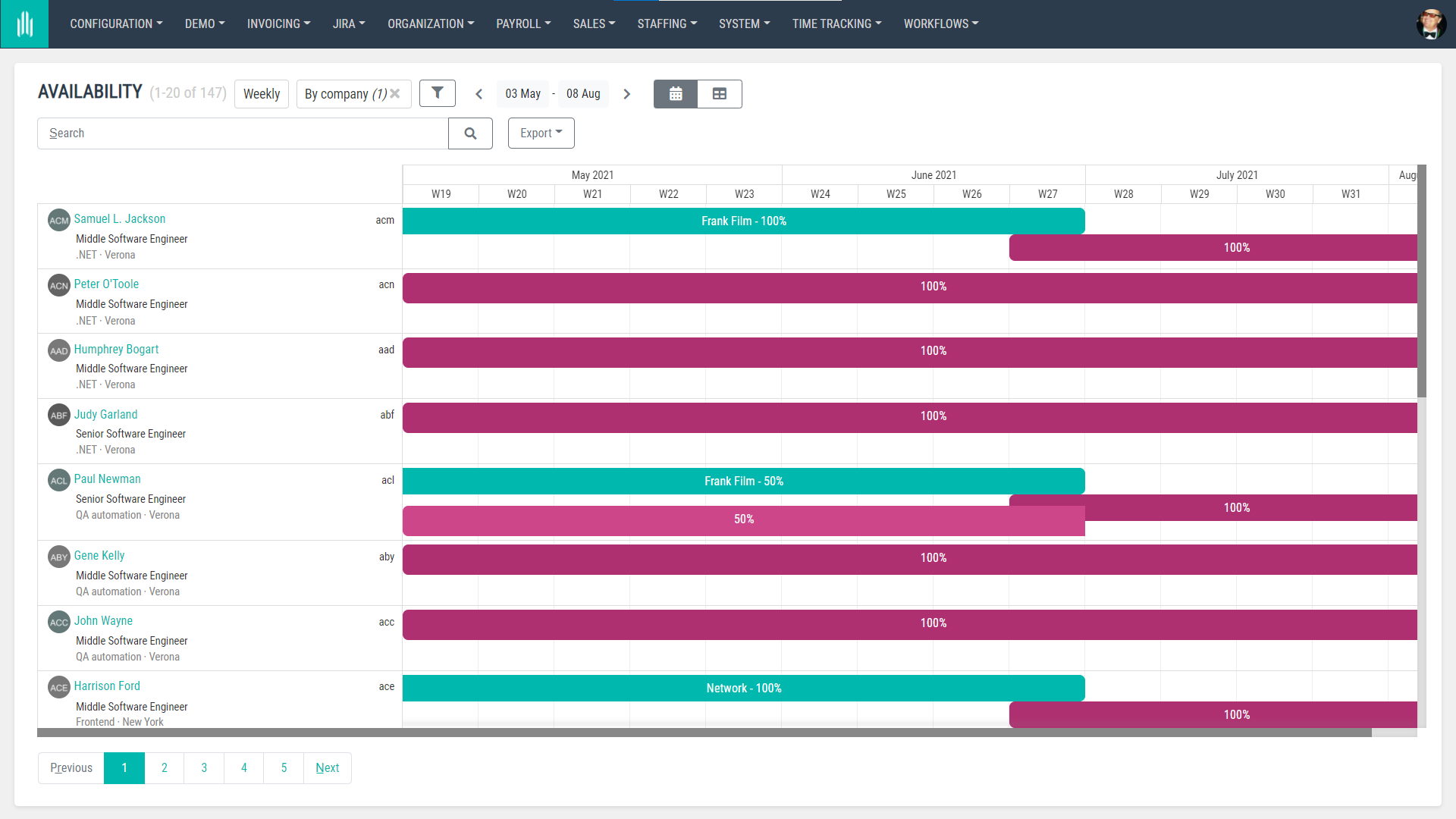
The Staffing module is perfect for assigning team members to projects and making sure that they are not overloaded with tasks. In this module, Managers can assign people to certain project temporarily or permanently, check the availability of their team and what roles these people fill in the projects they work on.
Systèmes
Systems is a module that’s dedicated to admin users. Here’s where they can manage users’ details, give them access to certain modules, organise users into groups with different access levels and check notifications systems that have been sent from AllPro in their organisation.
The Systems module also works for any configuration setups where notification emails or other actions could be taken automatically after being scheduled in this module. Here’s where administrative users can also define tasks/jobs to be completed systematically, without them having to set up these.
Suivi du temps
This section is all about your work time report and the report of your team members being listed and submitted correctly. This is where regular users can prepare, hand in and see their reports. Similarly to other time tracking tools, every report can be divided into certain projects and tasks that users work on an hourly/daily/weekly basis.
Anyone who’s defined as a Manager in AllPro can also view reports for people who are hired onto their teams and see the status of the time reports that need to be submitted, including their hourly progress. All time reports can be also downloaded as .xls or exported to a different tool.
Ce qui est important – dans AllPro – nous avons décidé de suivre le temps de travail en minutes afin de garantir que tous les clients avec lesquels vous collaborez disposent d'une vue claire des minutes consacrées à leurs projets et à leurs tâches, et puissent avoir un contrôle total sur les coûts.
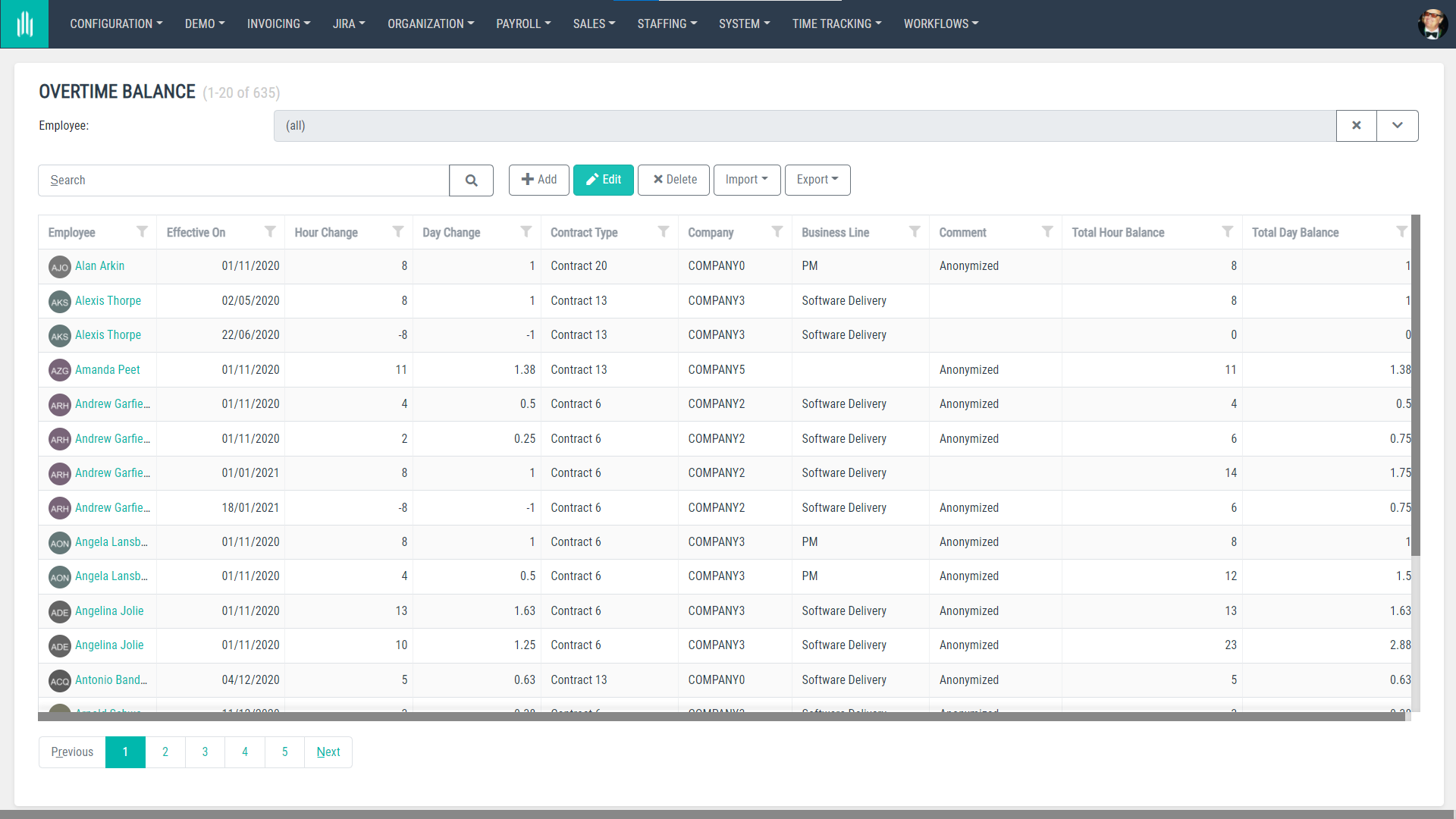
Outre les rapports de temps de travail, les utilisateurs peuvent également consulter dans Time Tracking leur solde de congés et leur solde d'heures supplémentaires, et s'ils sont Managers, les congés de leurs collaborateurs dans la section Staff on Holiday.
Flux de travail
The main module of Workflows is Request where users can submit absence, overtime, business trip, expense, home office requests, see their status and take additional actions if necessary. They can also request onboarding for new members joining their teams and if they have any problems with their time report they can also request for them to be reopened.
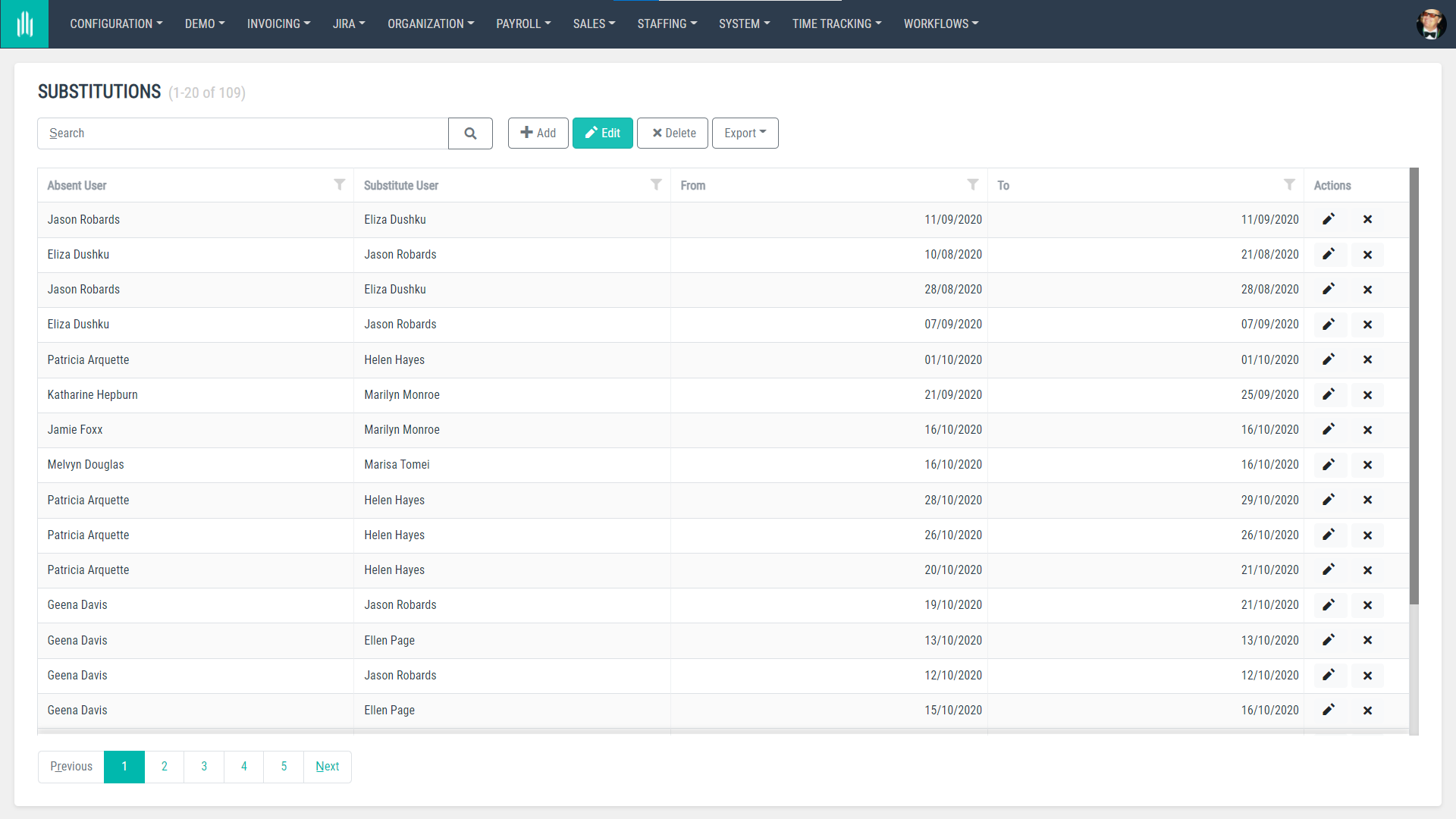
Dans Workflows, il existe également un module appelé Substitutions où les utilisateurs peuvent définir qui assurera leur remplacement ou celui des membres de leur équipe en leur absence.
Once a business trip is requested and scheduled, it lands in a module called ‘My Trips’ where users can see their upcoming trips, including all the details – hotel bookings, tickets, insurance, etc. This module can be also made accessible for an Office Manager or anyone who will be involved in organising business trips for team members.
Prêt à essayer AllPro dans votre organisation ?
Demander une démoComment AllPro est-il construit ?
D'un point de vue technique, AllPro est divisé en modules, chaque module étant un projet distinct. Cela signifie qu'il est facile de l'adapter et de l'ajuster aux besoins métier de chaque client.
Each module has an internal and external side to it, with the external one represented on three different levels: data, application logic and User Interface. There’s also a representation of these modules on the data base level, and they can be also easily divided into multiple machines.
Cette modularisation signifie également que le code et les responsabilités sont répartis entre différents projets. Avec AllPro, notre objectif a été de maintenir ces interdépendances claires et intuitives.
Voici comment le système est organisé :
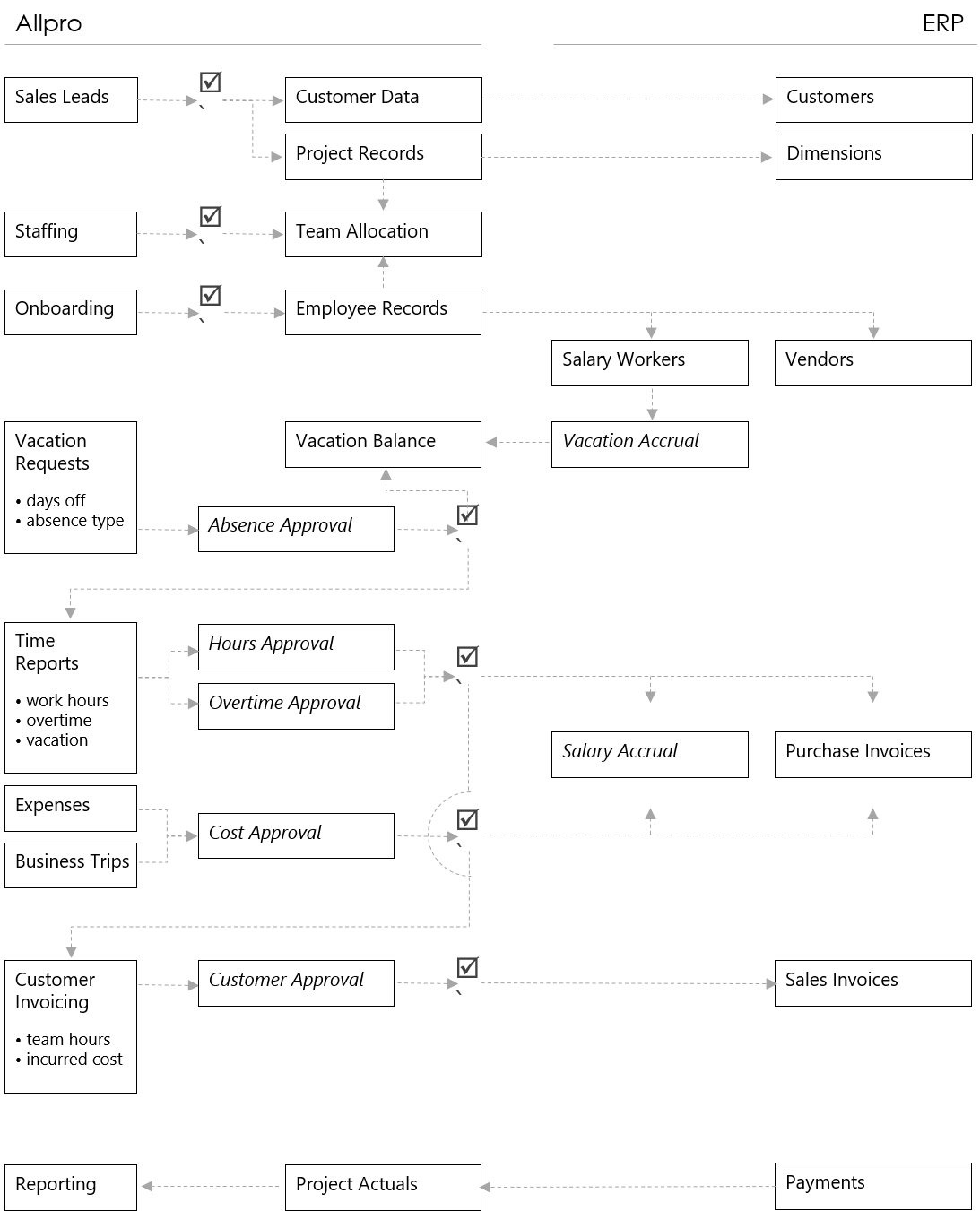
Comme mentionné ci-dessus, tous ces modules peuvent être désactivés et activés en fonction de l'évolution des besoins de votre entreprise et de sa croissance.
À vous de jouer
AllPro a été initialement créé pour notre organisation (découvrez ce que nous faisons surnotre site web), mais nous sommes désormais prêts à le partager avec le monde. Nous nous efforçons de maintenir ce produit en constante évolution aussi longtemps que possible et nous sommes toujours ouverts aux retours et aux idées.
Souhaitez-vous découvrir AllPro et l'essayer avec votre équipe ? Contactez-nous pour plus d'informations.


arrow_circle_rightnous contacter
Nous vous aiderons à créer une solution qui répond aux besoins de vos utilisateurs. Parlez-nous de votre idée.

Toby Pestridge
Directeur de la création
arrow_circle_right notre blog